 Cephboy AI
CFC, Live Memory and tool libraries
Cephboy combines developer tools, persistent memory, knowledge libraries and a multi-provider model gateway.
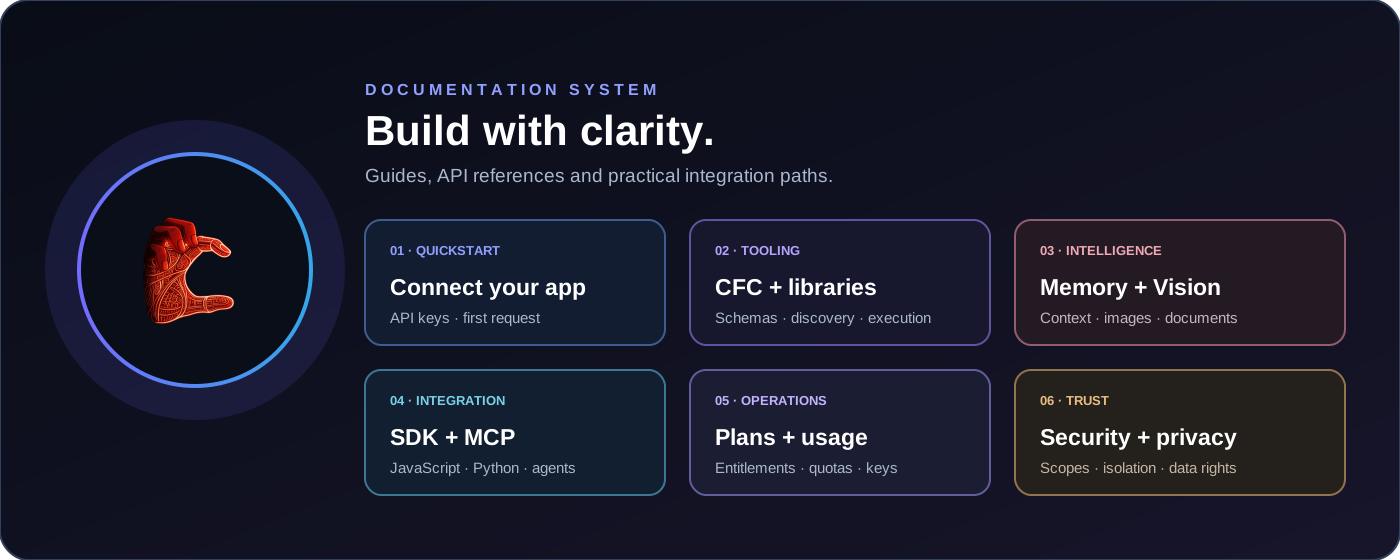
Public Explore workspace
Use safe no-key tools and discover anime, manga, video, audio and book catalogues.
Public endpoints
GET /api/public/libraries · GET /api/public/search?q=... · GET /api/public/tools · POST /api/public/tools/execute
Catalogues are public and read-only. Executing tools or media searches requires a signed-in paid plan; these features do not require a developer API key.
Quickstart
- Create an API key in your developer workspace.
- Store the key in your application server environment, never in browser code.
- Discover available tools and invoke them with CFC.
- Use Live Memory endpoints to store and recall application-scoped memories.
const response = await fetch("https://YOUR_API_HOST/api/v1/cfc/tools", {
  headers: { Authorization: `Bearer ${process.env.CEPHBOY_API_KEY}` }
});
const { tools } = await response.json();
Authentication and permissions
Send your key using Authorization: Bearer. Keys are stored as hashes and displayed only once. Permissions can restrict tools, memory and knowledge operations.
Authorization: Bearer cb_live_...
tools:read— discover CFC toolstools:execute— execute registered tools- Plan requirement: the Free plan grants
tools:readandtools:executefor its limited stateless utility allowlist. Hosted model inference and advanced CFC/MCP libraries require an eligible paid plan plus the relevant key scopes. Individual libraries may require additional scopes such asknowledge:read,knowledge:writeorbrowser:execute. memory:read/memory:write— recall or store memoriesknowledge:read/knowledge:write— search or index documentsautomation:read,automation:write,automation:execute— manage and run declarative workflows; execution also requirestools:executebrowser:execute— control a temporary browser through Cloudflare Browser Run; also requirestools:execute
Edit scopes from the API keys panel in the developer workspace, or use the authenticated endpoint PUT /api/keys/{key_id}/permissions.
Connect your own AI agent
Bring your own model and agent runtime. Connect a compatible agent to the Cephboy AI remote MCP endpoint, or call CFC from your server-side code. One Cephboy API key can cover tool discovery and execution when its plan and scopes allow it; it does not replace your model or agent loop.
For an MCP-capable host, add the remote endpoint below and store the API key in the host's protected secrets. Host configuration screens differ. This endpoint supports modern MCP 2026-07-28 and keeps a legacy 2025-03-26 path for older clients.
Remote MCP URL: https://YOUR_API_HOST/api/v1/mcp
Authentication: Authorization: Bearer YOUR_CEPHBOY_API_KEY
Protocol: MCP 2026-07-28 (legacy 2025-03-26 also supported)
Your key needs tools:read to discover tools and tools:execute to invoke them. Only tools enabled by the server configuration and allowed for your plan/key are returned. Keep the key on a trusted backend; never expose it in browser code.
const agentTools = await cephboy.mcp.list();
const answer = await cephboy.mcp.call("math.calculate", {
  expression: "(12 + 8) * 3"
});
Cephboy Agent Intelligence
A live context layer for external agents. It discovers tools actually available to the API key, ranks task-relevant capabilities, optionally recalls authorized application memories and improves future rankings from categorical feedback.
agent.prepare · prepare each complex task
Call agent.prepare before a complex or multi-step task. It returns permitted tool schemas, relevance reasons, optional matching memories and a system-context block. MCP server instructions recommend this workflow to compatible clients.
const prepared = await cephboy.agent.prepare(
  "Analyze this CSV and identify unusual values",
  { namespace: "my-app", user_id: "user_123", include_memory: true, max_tools: 8 }
);
const context = prepared.result.system_context;
const recommendations = prepared.result.recommendations;
// Add context to your agent system/developer message.
// Invoke a recommended tool only after checking its exact schema.
agent.feedback · improve future tool ranking
After a tool call, report whether it helped. Feedback is isolated by API key and namespace, expires after 180 days and is capped at the latest 1,000 records per key.
await cephboy.agent.feedback({
  tool_name: "csv.parse_flexible",
  outcome: "success",
  task_category: "data-analysis",
  reason_code: "useful"
}, "my-app");
Memories are included only when include_memory is explicitly true, user_id is supplied and the key has memory:read. They remain isolated by API key, namespace and external user ID.
This does not fine-tune or retrain the connected language model. Recommendations use deterministic multilingual keyword rules and feedback for this key. The agent runtime must use the returned context; REST cannot force an external model to follow it. Agent Intelligence requires a paid plan; Free includes only basic stateless utilities and public media discovery.
Continuous discovery refreshes public GitHub repository metadata every six hours. Matching candidates may be shown beside tool recommendations, but remain unreviewed and not integrated. No repository is cloned, installed or executed automatically; an administrator must review it before a separate integration process.
Utility enrichment
Six new deterministic utilities are available through the existing authenticated CFC and MCP tools. They preserve API-key permissions and plan entitlements.
Article extraction · web.extract
Extract article metadata and Markdown from supplied HTML or a bounded public HTTPS page. It does not execute page JavaScript; layout and paywall extraction are heuristic. Redirects are rejected and private/reserved DNS answers are blocked, but DNS checks are defense in depth rather than DNS pinning.
Identity metadata · identity.validate
Check email syntax, optional DNS records and international phone-number metadata. These checks do not prove mailbox existence, number assignment, reachability, domain ownership or legal identity.
Math and finance · math.solve_equation · math.finance
Solve linear and quadratic equations and calculate compound interest, present/future value, loan payments and net present value using caller-supplied figures and rates. No live exchange rate is included.
Barcodes · barcode.generate
Generate bounded SVG Code 128, EAN-13, UPC-A, ITF-14, PDF417 and Data Matrix codes. Existing QR generation and browser-side QR/barcode reading remain available.
Text conversion · document.convert
Convert supported HTML, Markdown, text, CSV and JSON content. This tool does not convert binary PDF or Office files; use the existing browser Document Intelligence tools for those formats.
PDF table extraction · extractPdfTables
The Vision Browser SDK can infer rows and columns from selectable PDF text coordinates. Results are heuristic, not a full layout reconstruction; scanned and complex tables require separate review.
JavaScript SDK
A dependency-free JavaScript SDK is included in the source archive. It has not been published to npm. Use it on your server only; never expose your API key in browser code.
import Cephboy from "./sdk/javascript/index.js";
const cephboy = new Cephboy({
  baseUrl: process.env.CEPHBOY_API_URL,
  apiKey: process.env.CEPHBOY_API_KEY
});
const result = await cephboy.tools.execute("math.calculate", {
  expression: "12 * 5"
});
Cephboy Function Calling (CFC)
GET /api/v1/cfc/tools
Returns the tools available to the API key, including JSON input schemas.
POST /api/v1/cfc/execute
{
  "tool": "math.calculate",
  "namespace": "my-app",
  "arguments": { "expression": "(12 + 8) * 3" }
}
The response contains ok, tool, result and latency_ms. CFC executes deterministic registered functions; it does not decide which tool an AI should call.
Built-in tools
math.calculatetext.analyzejson.validatedata.sortanddata.aggregatesecurity.detect_piitext.normalizeandtext.slugifyknowledge.index,knowledge.search,knowledge.listandknowledge.deletetime.nowandid.generate
Specialist library adapters
The platform includes package-backed adapters for JSONata, XML, fuzzy search, archives, JSON Schema, YAML, CSV, decimal arithmetic and text diff. Install project dependencies before running or deploying. These tools require an API key and appear in CFC/MCP discovery only when their package is loaded.
JSONata · jsonata.evaluate
{
  "tool": "jsonata.evaluate",
  "namespace": "my-app",
  "arguments": {
    "expression": "$sum(items.price)",
    "data": { "items": [{ "price": 12 }, { "price": 8 }] }
  }
}
XML · xml.validate, xml.parse, xml.build
Search · search.fuzzy
Archives · archive.gzip, archive.zip_create
JSON Schema · json_schema.validate
YAML · yaml.parse, yaml.stringify
CSV · csv.parse
Decimal arithmetic · math.decimal_calculate, math.decimal_compare
Text diff · text.diff
Payloads and results have strict size limits. XML entity processing is disabled. ZIP paths are validated. JSON Schema remote references and regex-related keywords are blocked. YAML aliases, CSV records, decimal precision and diff computation are bounded. Unbounded archive extraction and GZIP decompression are not exposed. These adapters are not yet part of declarative Automations.
Specialized code-analysis systems
Cephboy exposes a versioned, data-driven catalogue of specialist code-analysis systems and upstream tools. Licence terms, runtime needs and fix policies vary by tool. Discover systems through the API or MCP; run compatible analyzers in your own controlled development environment.
npm run code:analyzers
npm run code:analyze -- --target ./src --json
npm run code:analyze -- --target ./src --systems javascript-quality,typescript-types
npm run code:analyze -- --target ./src --fix-safe
The API only lists and plans analysis. Third-party analyzer binaries run locally in the developer-owned environment; Cephboy does not execute untrusted code, install tools, or host compiler services. Safe fixes require an explicit flag and create a backup. Aider and mini-SWE-agent are separate manual AI repair options that need your own model configuration and sandbox. Review every finding and patch.
API/MCP tools: code.analyzers.list and code.analyzers.plan. SDK: cephboy.code.analyzers() and cephboy.code.plan(files).
See CodeQL language coverage, OpenRewrite recipes, Ruff safe fixes and Biome safe fixes.
Cephboy Web Search API
Cephboy exposes web.search through its own API key, CFC and MCP. The first backend is a self-hosted SearXNG metasearch instance; Cephboy does not call a paid search API or require a commercial search key.
Authenticate each request with Authorization: Bearer cb_live_… using your Cephboy API key. The gateway token is private between the Worker and the search service and must never be sent by a client.
Deploy the self-hosted stack in infra/web-search, publish its gateway only through HTTPS, then set WEB_SEARCH_URL and the WEB_SEARCH_TOKEN secret on the Worker.
POST /api/v1/web/search
{
  "query": "Open Source web search engines",
  "namespace": "my-app",
  "categories": "general",
  "language": "en",
  "safe_search": 1,
  "page": 1,
  "limit": 10
}
Results include title, URL, snippet, source engine and optional publication date.
CFC / MCP · web.search
await cephboy.tools.execute("web.search", {
  query: "Open Source web search engines",
  categories: "general",
  language: "en",
  safe_search: 1,
  limit: 10
});
// JavaScript SDK shortcut:
await cephboy.web.search("Open Source web search engines", { language: "en" });

// Python SDK:
// result = client.web_search("Open Source web search engines", language="en")
This is Open Source metasearch, not yet a fully independent Cephboy web index.
Gateway setup: infra/web-search/README.md. Keep the gateway token server-side; never include it in frontend code.
Cephboy Weather API
Cephboy exposes weather.forecast, weather.history and weather.sun through authenticated CFC, MCP and SDK calls.
Configure the required MET Norway identifying User-Agent on the existing Worker. No additional weather hosting is required.
CFC · weather.forecast
await cephboy.weather.forecast(
  { latitude: 6.5244, longitude: 3.3792 },
  { hours: 24, days: 5 }
);
CFC · weather.history and weather.sun
await cephboy.weather.history(
  { latitude: 6.5244, longitude: 3.3792 },
  { start_date: "2026-11-01", end_date: "2026-11-13" }
);
await cephboy.weather.sun(
  { latitude: 6.5244, longitude: 3.3792 },
  "2026-11-13",
  { timezone_offset_minutes: 60 }
);
The authenticated CFC endpoint accepts weather.forecast, weather.history and weather.sun.
Provider coverage, service limits, attribution and features not yet integrated are documented.
Declarative automations
Create workflows from registered CFC tools. Every step is schema-validated, ordered, permission-checked and audited. Workflow execution does not run shell commands or arbitrary code.
POST /api/v1/automations
{
  "name": "Calculate then aggregate",
  "namespace": "my-app",
  "steps": [
    { "id": "calculate", "tool": "math.calculate", "arguments": { "expression": "(12 + 8) * 3" } },
    { "id": "aggregate", "tool": "data.aggregate", "arguments": { "values": [{ "$ref": "steps.calculate.result.value" }, 10] } }
  ]
}
POST /api/v1/automations requires automation:write. POST /api/v1/automations/{id}/run requires automation:execute. GET requires automation:read.
POST /api/v1/automations/{id}/run
const created = await cephboy.automations.create({ name, namespace: "my-app", steps });
const result = await cephboy.automations.run(created.automation.id);
console.log(result.run.outputs);
A later step may use a prior result through a JSON reference. Up to 12 sequential steps are supported; failures stop the run.
Workflow definitions, step inputs and results are stored in your private D1 scope. Deleting a workflow deletes its run history. Runs are synchronous and have no scheduler or automatic retry in this release.
Cephboy Live Memory (CLM)
Memories are isolated by API key, namespace and external user ID. Store explicit facts, preferences, events or context. Recall returns matching records; it does not generate a natural-language answer.
POST /api/v1/memory/remember
{
  "namespace": "my-app",
  "user_id": "user_123",
  "key": "preferred_stack",
  "type": "preference",
  "content": "Uses React and Node.js",
  "importance": 4,
  "confidence": 1,
  "ttl_days": 365
}
POST /api/v1/memory/recall
{ "namespace": "my-app", "user_id": "user_123", "query": "preferred stack", "limit": 10 }GET /api/v1/memory/list?user_id=user_123&namespace=my-app
POST /api/v1/memory/forget
{ "namespace": "my-app", "user_id": "user_123", "key": "preferred_stack" }ttl_days is optional. When omitted, the memory does not expire automatically. If supplied, it cannot exceed the maximum optional TTL configured by the administrator.
Only store information your application is authorized to retain. Provide users with appropriate notice, correction and deletion controls.
Knowledge library
Index application-owned text documents and search them with local lexical matching. This MVP does not use paid search APIs or external embedding services.
Cephboy AI · Model API
Use the Cephboy AI model through one API endpoint. The service selects an available model engine automatically according to your plan and configured capacity. Provider identities and credentials are never exposed. API keys require models:use permission.
The platform operator configures model capacity and credentials securely on the server. Never place service credentials in browser code, wrangler.toml or SDK client configuration.
List models · GET /api/v1/models
curl https://YOUR_CEPHBOY_HOST/api/v1/models \
  -H "Authorization: Bearer cb_live_YOUR_KEY"
Chat · POST /api/v1/chat/completions
{
  "model": "cephboy-ai",
  "messages": [
    { "role": "system", "content": "You are a helpful assistant." },
    { "role": "user", "content": "Explain this function." }
  ],
  "temperature": 0.7,
  "max_tokens": 512,
  "stream": false
}
JavaScript SDK
const result = await cephboy.chat.completions({
  messages: [{ role: "user", content: "Hello" }],
  temperature: 0.7,
  max_tokens: 512
});
// Streaming: response.body is a readable stream of the upstream SSE bytes.
const response = await cephboy.chat.stream({
  messages: [{ role: "user", content: "Hello" }]
});
For streaming, the API forwards the provider's event stream without translating or rewriting its content. Any reasoning text or dedicated reasoning fields are preserved as returned by the upstream service. The gateway expects an OpenAI-compatible chat-completions contract by default; configure a provider-specific path only when the upstream route is compatible. If a provider uses a different JSON contract, an explicit adapter mapping is required.
When a model engine is unavailable or temporarily overloaded, Cephboy AI can automatically switch to another eligible engine. The API response continues to identify the model as Cephboy AI; internal engine identities are not disclosed.
Payments and local currency pricing
Paid plans support one-time checkout and optional recurring subscriptions through Paystack or Flutterwave. Recurring billing is opt-in and can be managed or cancelled in your account. Provider webhooks confirm renewals, failures, cancellation and refunds.
Model plans and token quotas
Model access is controlled server-side by the assigned plan. Plans define daily and monthly token ceilings, daily requests, requests per minute, and an explicit model allowlist. UTC is used for daily resets; the token-month counter resets on the first day of each UTC calendar month.
Usage records prefer the upstream provider's token counters. When a provider or stream does not expose token usage, Cephboy records a clearly marked estimate. Estimates are not provider billing figures.
A fallback is eligible only when the alternative provider is configured and its model is included in the account plan. No provider is treated as unlimited or guaranteed free.
Quota errors
HTTP 429 means a per-minute, daily request, daily token or monthly token ceiling has been reached. HTTP 403 means the API key lacks model permission or the selected model is not included in the plan.
Free operation, quotas and limitations
Cephboy AI uses the platform capacity configured by its operator. Plan limits are separate from infrastructure limits; none of these resources is unlimited.
Cephboy AI is available through your Cephboy API key. Internal model engines and credentials remain private to the platform.
Security
- Keep API keys on your backend.
- Memory and knowledge are scoped to the API key and namespace.
- CFC only runs registered built-in functions; arbitrary uploaded code is not executed.
- Revoke compromised keys immediately.
Developer workspace · Help center · About the creator · Back home
Cephboy Vision Browser SDK
Optional local browser vision and document tools.
Install optional browser packages in the developer application. No Cephboy inference hosting is required.
Image and PDF processing
import { analyzeImageForTextAgent, analyzePdfForTextAgent } from "@cephboy/sdk/vision-browser";
const imageContext = await analyzeImageForTextAgent(imageFile, { ocr: true, caption: true, objectDetection: true, languages: "eng+fra" });
const pdfContext = await analyzePdfForTextAgent(pdfFile, { workerSrc, ocrScannedPages: true, languages: "eng" });
CFC · vision.context.prepare
await cephboy.tools.execute("vision.context.prepare", { source_type: "image", extracted_text: imageContext.results.ocr?.text, caption: imageContext.results.caption?.captions?.[0]?.generated_text });
Run local processing in the user's browser and pass extracted text and observations to the authenticated API.
Processing uses the user's device and model downloads can be large. The API normalizes results but does not run inference on raw files.
Vision and document processing limits follow the account plan. Free: 20 MB, 5 PDF pages, 5 OCR pages, 8 video frames and 60 seconds. Developer: 50 MB, 25 PDF pages, 10 OCR pages, 16 video frames and 3 minutes. Pro: 100 MB, 100 PDF pages, 25 OCR pages, 32 video frames and 10 minutes. Business: 250 MB, 250 PDF pages, 50 OCR pages, 64 video frames and 30 minutes. Enterprise: 500 MB, 500 PDF pages, 100 OCR pages, 120 video frames and 60 minutes. ZIP expanded-data ceilings are 60, 150, 300, 600 and 1,024 MB respectively. Limits are checked by the browser SDK and the authenticated CFC normalization endpoint; local parsing remains on the user's device.
Load the effective plan limits
import { loadVisionPlanLimits, analyzePdfForTextAgent } from "@cephboy/sdk/vision-browser";
import { parseOfficeDocument, inspectZipFile } from "@cephboy/sdk/document-intelligence";
const planLimits = await loadVisionPlanLimits(); // signed-in same-origin dashboard session
const pdfContext = await analyzePdfForTextAgent(pdfFile, {
  workerSrc,
  planLimits,
  maxFileBytes: planLimits.maxFileBytes,
  maxPages: planLimits.maxPdfPages,
  ocrMaxPages: planLimits.maxOcrPages,
  ocrScannedPages: true
});
const officeContext = await parseOfficeDocument(officeFile, { planLimits });
const zipSummary = await inspectZipFile(zipFile, { planLimits }); // metadata and ZIP-bomb checks, no extraction
An API key inherits its owner's currently assigned plan. A backend can call GET /api/v1/vision/limits with Authorization: Bearer and pass only the returned numeric limits to its browser SDK. Never embed a secret API key in public browser code. Changing the plan assigned to an account updates the effective limits for its existing API keys; no key recreation is required.
Open-source discovery and advanced tools
Search available Cephboy tools on demand and discover public repositories. Discovery returns metadata only; candidates are not automatically integrated.
POST /api/v1/cfc/execute
{ "tool": "opensource.discover", "arguments": { "query": "browser pdf parser", "source": "github", "limit": 5 } }
Progressive MCP tool discovery
Connect with ?tool_mode=progressive to list only the three discovery tools. Call tools.search to retrieve a selected tool's full JSON Schema, then tools/call by exact name. Default MCP mode still lists all enabled tools; compatibility depends on whether your MCP host permits deferred tool invocation.
POST /api/v1/mcp?tool_mode=progressive
{ "jsonrpc": "2.0", "id": 1, "method": "tools/list" }
Browser automation API
Authorized agents can control a temporary Chromium browser through CFC and MCP. The browser runs on Cloudflare Browser Run through the Worker BROWSER binding; no separate browser host, Docker service or runner token is required. Cloudflare Workers Free currently includes 10 browser minutes per day and up to three concurrent browsers per account. Cephboy applies its own limit of two active sessions. See Cloudflare Browser Run limits.
Available CFC tools
browser.session.create— create a session with an explicit host allowlist.browser.action—open,click,fill,press,select,check,uncheck,assert_visible,assert_text,screenshot,inspectorwait.browser.session.close— close the session.
Requires an API key with tools:read, tools:execute and browser:execute. Existing keys need the browser scope added in the Developer workspace. Availability requires the Worker to be deployed with its BROWSER binding.
Example: create a session
POST /api/v1/cfc/execute
Authorization: Bearer cb_live_...
Content-Type: application/json

{
  "tool": "browser.session.create",
  "namespace": "my-app-test",
  "arguments": {
    "allowed_hosts": ["preview.example.com"],
    "url": "https://preview.example.com"
  }
}
Run actions and inspect the result
POST /api/v1/cfc/execute\nAuthorization: Bearer cb_live_...\nContent-Type: application/json\n\n{\n "tool": "browser.action",\n "namespace": "my-app-test",\n "arguments": {\n "session_id": "SESSION_ID",\n "action": "assert_visible",\n "selector": "button[type=submit]"\n }\n}Use the returned session_id for subsequent actions, then call browser.session.close to release browser time. Only test domains you own or are authorized to test. Localhost names and IP-literal hosts are rejected; Cloudflare Browser Run guardrails block HTTP(S) requests to hostnames outside the allowlist. Arbitrary JavaScript and shell tools are not exposed. Form submissions and clicks can have real-world side effects, so require owner authorization before payments, messages, deletions or production changes.
Full setup, deployment, CFC examples and security notes · Guide en français.
Developer Intelligence
Search current upstream library documentation and inspect public GitHub repositories through the same authenticated CFC/MCP tools.
docs.search
Search eight curated official documentation sources: React, Next.js, Vite, TanStack Query, Node.js, Vue 3, Astro and Angular. You can also provide a public GitHub repository. Results include short attributed excerpts, exact refs, source paths, line numbers, permalinks and licence notes. Vue documentation text is CC BY 4.0 (images excluded); Astro and Angular repositories are MIT.
POST /api/v1/cfc/execute
Authorization: Bearer cb_live_...
Content-Type: application/json

{
  "tool": "docs.search",
  "namespace": "my-app",
  "arguments": {
    "library": "vite",
    "query": "server middleware",
    "ref": "main",
    "limit": 5
  }
}
github.inspect
Inspect public repository metadata, a bounded file tree, manifests and selected source symbols. OSV can check up to 50 resolved package versions across supported root package-lock.json (npm), exact-pinned requirements.txt (PyPI), Cargo.lock (Rust) and go.sum (Go) files.
await cephboy.docs.search("vite", "server middleware", { ref: "main" }, "my-app");
await cephboy.github.inspectRepository("vitejs/vite", {
  files: ["packages/vite/src/node/server/index.ts"],
  symbol: "createServer",
  include_vulnerabilities: true
}, "my-app");
Both tools reuse the existing paid-plan access, API-key scopes, quotas and request logs. The default branch is not guaranteed to be the latest stable release; pin a tag or commit for reproducibility. Private repositories are rejected. No repository is cloned, installed or executed. Unpinned Python ranges and unsupported lockfiles are skipped. OSV checks are bounded diagnostics, not a complete SAST or security audit.
Reliability Intelligence (v0.9.41)
Twenty additional authenticated CFC/MCP tools help agents verify technical inputs, inspect API contracts and retrieve structured public data. The same registry is used by REST, MCP, Agent Intelligence, the per-key Skills Hub, workspace tools and schema-validated automations.
Package and structured-output checks
package.inspect · package.audit · json.repair · json.schema.infer
API contracts
openapi.inspect · openapi.find_operation · openapi.validate_payload · openapi.compare · openapi.security.audit
DNS and email posture
dns.lookup · dns.email.audit · dns.domain.posture
Research and public records
research.search · research.doi.lookup · research.citation.verify · research.sec.search
Data and agent quality
feed.parse · data.profile · data.validate · agent.output.evaluate
POST /api/v1/cfc/execute
Authorization: Bearer cb_live_...
Content-Type: application/json

{
  "tool": "package.inspect",
  "namespace": "my-app",
  "arguments": {
    "ecosystem": "npm",
    "name": "zod",
    "include_vulnerabilities": true
  }
}
These are bounded diagnostics, not malware certification, a full SAST audit, global network monitoring or proof of factual truth. The Worker does not execute submitted code, install packages, fetch arbitrary feed URLs or resolve remote OpenAPI references.
API key capability selection
When creating a new API key, choose the capability groups that the connected agent may discover and execute. The picker is generated from the existing CFC tool registry; it does not create a second tool system. Expand a group to inspect its registered tools. A disabled group or tool is not available for the current plan or runtime.
| Plan | Capability groups per key | What the higher plan adds |
|---|---|---|
| Free | 4 | Choose a small set of stateless utilities. No hosted model, memory, knowledge, automation, browser execution or advanced web services. |
| Developer | 10 | Unlock the paid platform capability set, including hosted Cephboy AI and eligible CFC/MCP, memory, knowledge, automation and browser operations. |
| Pro | 20 | Activate nearly the entire current group catalogue for agents with several workflows; higher quotas and key limits follow the live plan. |
| Business | 35 | Select all current groups, with business-level usage and account limits from the live plan. |
| Enterprise | Unlimited | No group-count cap, subject to negotiated entitlements, administrator restrictions and runtime availability. |
The number counts groups, not individual tools, requests or tokens. The server validates the limit both when creating a key and when changing its Skills Hub selection. Plan quotas, technical scopes and runtime availability remain separate restrictions.
Initial plan quotas and pricing
These are the repository's initial seeded defaults, not fixed guarantees. The administrator can change plan entitlements and prices; the signed-in billing page and live plan record are authoritative.
| Plan | Requests / 30 days | Requests / minute | Requests / day | Tokens / day | Tokens / month | Active keys | Initial price |
|---|---|---|---|---|---|---|---|
| Free | 3,000 | 3 | 100 | 10,000 | 300,000 | 2 | $0 |
| Developer | 30,000 | 10 | 1,000 | 50,000 | 1,500,000 | 10 | $29.99/month |
| Pro | 90,000 | 30 | 3,000 | 150,000 | 4,500,000 | 10 | $59.99/month |
| Business | 300,000 | 60 | 10,000 | 500,000 | 15,000,000 | 50 | $99.99/month |
| Enterprise | Unlimited* | 120 | Unlimited* | Unlimited* | Unlimited* | 250 | Contact sales |
*Enterprise's seeded defaults remove monthly request and token ceilings but retain the 120/minute rate and 250-key ceiling. Prices and limits can be edited by an administrator. Provider credentials, adapter installation and payment checkout must still be configured and verified.
Why upgrade? Developer unlocks hosted Cephboy AI and paid platform operations while increasing default request capacity tenfold versus Free. Pro triples Developer's default request and token allowances. Business expands capacity for teams and multi-project usage. Enterprise offers custom commercial controls and removes the seeded monthly request/token caps. Higher plans do not automatically activate missing integrations or bypass runtime checks.
How it works
- Open API keys in the Developer Portal and review the listed groups.
- Select one or more available groups within the plan limit.
- Create the key and copy the secret immediately; it is shown only once.
- Use Skills Hub to change the per-key allowlist later.
- Discover the exact tools available to that key using
GET /api/v1/cfc/toolsor MCPtools/list.
POST /api/keys
{
  "name": "Code review agent",
  "permissions": ["tools:read", "tools:execute"],
  "skills": ["code", "security", "validation", "data"]
}
Effective access is the intersection of the account plan, API-key permissions, selected groups, runtime availability and account status. A checkbox never installs a library or grants a missing permission. The public open-source catalogue can include planned or browser-SDK-only projects; those are not automatically executable server tools.
Full integration guide: docs/API-KEY-CAPABILITIES.md in the source repository.
Per-key Skills Hub
The Developer Portal groups the existing CFC tool catalogue into skills by library. Select an API key, turn available skills on or off and save the selection. Each key has its own independent settings.
How activation works
- A key with no saved selection keeps its current access for backwards compatibility.
- After saving, the selected library IDs become an allowlist for that API key.
- The same selection filters CFC/MCP tool discovery and calls, on-demand
tools.search,agent.preparerecommendations, workspace execution and automation steps. - Unavailable libraries are disabled when the key lacks a required scope, the plan does not include the capability, or the runtime adapter is unavailable.
Management and permissions
The dashboard uses the signed-in account session for GET/PUT /api/keys/:id/skills. Only the key owner can change a selection. This is not a new Bearer API endpoint or API-key scope. Existing tools:read, tools:execute, library-specific scopes and plan entitlements remain enforced. Free can activate only its limited stateless utility allowlist; advanced libraries remain unavailable.
Skills Hub cannot grant permissions, upgrade a plan or expose an unavailable runtime. It is a control over existing tool-library access, not a second tool registry.
Agent Superpowers
Six additional deterministic tools are available through the existing CFC, MCP and API-key system: page snapshot comparison, parameterized query building, subtitle parsing, sensitive-data redaction, Mermaid source generation and public HTTPS link inspection.
Available tools
web.watch.compare— compare two caller-supplied page snapshots. For persistent scheduled monitoring, use the Web Watch REST API below.query.build— build a read-only, parameterized SELECT statement from explicit table/column/filter inputs. It never executes SQL and does not infer a database schema.video.transcript.parse— parse caller-supplied WebVTT/SRT subtitles into timestamped cues and heuristic chapters. It does not download videos or bypass platform access controls.security.redact— redact common email, phone, payment-card and credential patterns with request-local placeholders. Detection is heuristic, not complete DLP.diagram.generate— generate editable Mermaid source for flowcharts, sequence diagrams and mind maps. Rendering is performed by the consuming client.links.inspect— check public HTTPS link status and bounded redirect chains. Private/reserved destinations, credentials and non-default ports are rejected.
JavaScript SDK
await cephboy.web.watchCompare(oldSnapshot, newSnapshot, { url: "https://example.org/pricing" });
await cephboy.data.buildQuery({ table: "orders", columns: ["id", "total"], filters: [{ field: "status", op: "=", value: "paid" }] });
await cephboy.media.parseTranscript(vttText);
await cephboy.security.redact(privateText);
await cephboy.visualization.generateDiagram({ type: "flowchart", nodes: [{ id: "start", label: "Start" }, { id: "done", label: "Done" }], edges: [{ from: "start", to: "done" }] });
await cephboy.web.inspectLinks(["https://example.org"]);
All six Agent Superpowers tools use the existing tools:read/tools:execute scopes, paid-plan entitlements, API-key limits and request logs. Free can use only its separate allowlisted stateless utilities; Agent Superpowers remain paid. Link checks include DNS preflight but do not pin DNS answers to the fetch; treat them as diagnostics, not a network isolation boundary. Never render untrusted Mermaid/SVG without sandboxing.
Scheduled Web Watch
Create persistent public-page monitors with a paid API key. Cephboy stores an initial baseline in D1, checks due pages on its existing six-hour schedule, records text changes and sends alerts to the in-app notification center.
CFC and MCP tools
web.watch.list— list watches.web.watch.create— create a scheduled watch.web.watch.update— pause, resume or change its interval.web.watch.delete— delete a watch and its history.web.watch.events— read detected changes.
REST endpoints
GET /api/v1/web-watches— list watches owned by the current API key.POST /api/v1/web-watches— create a watch. JSON:{"url":"https://example.org/pricing","label":"Pricing","interval_hours":24}.PATCH /api/v1/web-watches/{id}— pause/resume or changeinterval_hours.DELETE /api/v1/web-watches/{id}— delete the watch and its history.GET /api/v1/web-watches/{id}/events— read the latest detected changes.
JavaScript SDK
const watch = await cephboy.web.watches.create({ url: "https://example.org/pricing", label: "Pricing", interval_hours: 24 });
const currentWatches = await cephboy.web.watches.list();
const history = await cephboy.web.watches.events(watch.watch.id);
await cephboy.web.watches.update(watch.watch.id, { status: "paused" });
await cephboy.web.watches.delete(watch.watch.id);
Python SDK
watch = client.web_watch_create("https://example.org/pricing", label="Pricing", interval_hours=24)
watches = client.web_watches_list()
history = client.web_watch_events(watch["watch"]["id"])
client.web_watch_update(watch["watch"]["id"], status="paused")
client.web_watch_delete(watch["watch"]["id"])
Five active watches per API key. Intervals are 6, 12, 24, 48, 72 or 168 hours; at most four due watches are processed per scheduled sweep; each page extraction is capped at 10,000 characters and 200 KB of HTML. DNS preflight does not pin the connection IP. Never monitor private, authenticated or sensitive endpoints.